Digital painting tablets or traditional sketchbooks for artists
The most common mistake I see when artists compare digital painting tablets with traditional sketchbooks is treating the choice as a referendum on what “real” concept art looks like. It is not.
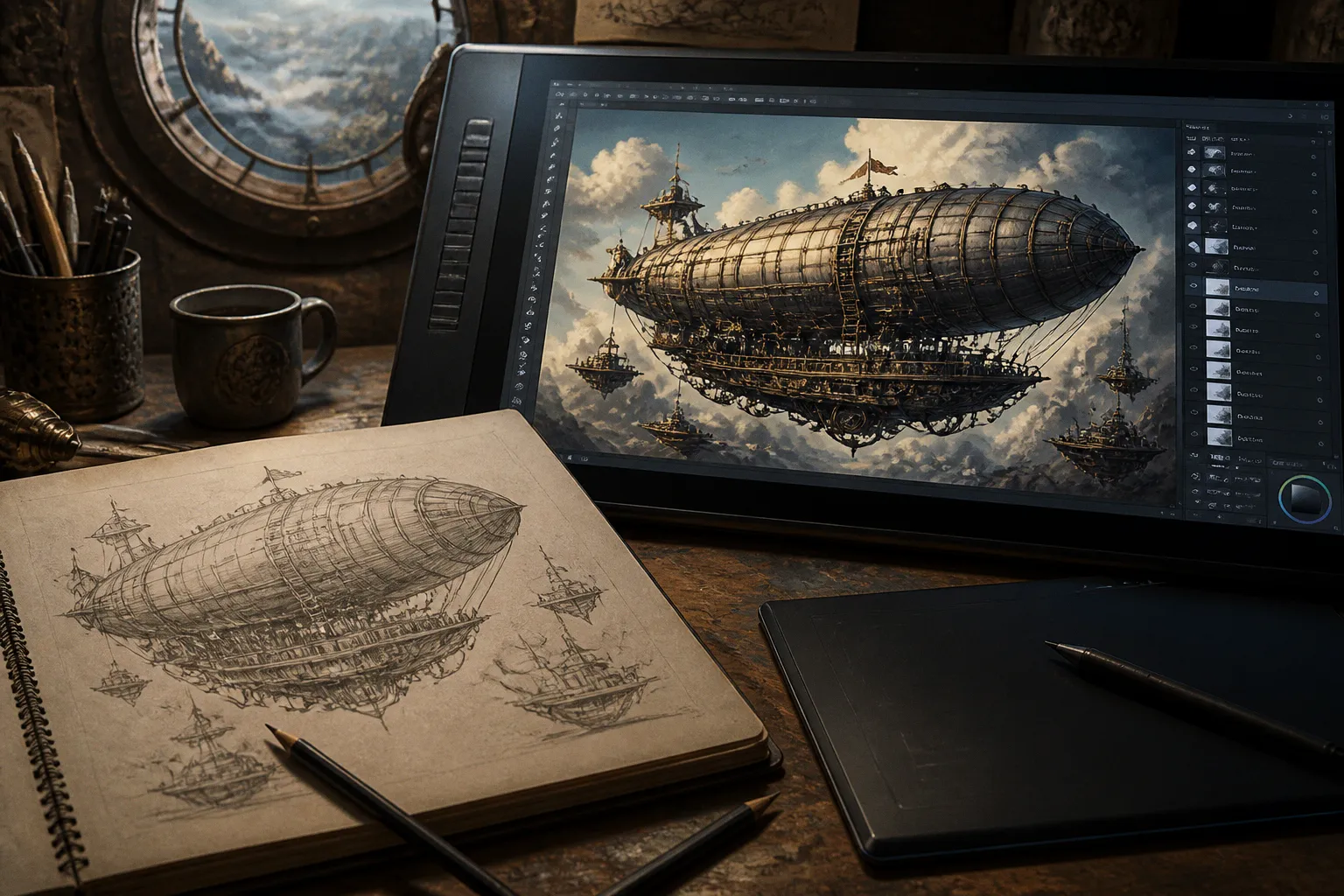
Your tool does not decide whether your fantasy character has a convincing silhouette, whether your dieselpunk vehicle reads at thumbnail size, or whether a client can see the idea before the deadline. Your working method does.
Compare car rental deals in United Kingdom
See available offersPartner link — DiscoverCars comparisonA traditional sketchbook gives you friction, speed, and a direct physical response. A digital tablet gives you layers, revisions, perspective tools, and a far cleaner route from rough ideation to presentation art. In professional speculative fiction work, both can be excellent—and both can become expensive ways to avoid solving the actual drawing problem.
I have reviewed enough portfolios and art drops to know where the difference shows up. It usually appears in the first ten minutes of a brief: how quickly you can generate options, how clearly your silhouettes read, how well you preserve texture during revisions, and whether your final image survives being reduced to a book-cover thumbnail or a tiny card frame.
The useful question is not “Which tool is better?” It is: which part of your concept art workflow needs more support right now?
The tactile advantage: why traditional sketchbooks still matter
A sketchbook is not simply a low-tech version of a drawing tablet. It gives you a different kind of visual feedback, and that feedback affects the way you think.
Graphite catches on paper. A charcoal edge drags, breaks, and deposits unevenly. Ink commits you to a mark. Those small physical resistances slow the hand just enough to make you look at the shape you are building. You feel whether a line is confident or hesitant before you have consciously judged it.
That matters in fantasy and science fiction art because the early drawing is often about structure rather than finish. You may be searching for the shoulder mass of an armored creature, the weight distribution of a retro-futurist locomotive, or the relationship between a pilot and an oversized machine. A sketchbook lets you test those ideas without opening a file, choosing a brush, or worrying about a canvas size.
Traditional sketching also works when everything else does not. There is no battery, operating system, driver conflict, software update, or charging cable. A pencil and a pocket sketchbook are ready in a way even the best standalone tablet is not. For artists who travel between studios, conventions, client meetings, and location research, that portability is not sentimental. It is practical.
I also find that physical pages encourage a different kind of visual memory. When you flip through a sketchbook, you see the failed thumbnails beside the useful ones. The progression remains visible. In a digital folder, those early versions may be hidden under layers or lost among exports. That record can be valuable when you are building a personal design language, especially if you are trying to move beyond familiar genre shorthand.
A page of rough shapes can also reveal a problem that polished digital work conceals. If every dragon starts with the same head, every starship uses the same perspective, or every steampunk cover relies on identical brass piping, the sketchbook will show you the repetition quickly.
A sketchbook is not where you go to make lesser art. It is where you remove the pressure to make finished art too soon.
The limitation is equally clear: paper is not forgiving. You can erase, but you cannot truly return to every earlier decision. You cannot switch the lighting direction across a whole scene with one adjustment layer. You cannot move a character three inches to the left while preserving every surrounding object. This resistance can sharpen your drawing, but it can also slow down a production brief that expects several rounds of revision.
For personal exploration, that may be exactly what you need. For client work, it depends on where the sketchbook sits in the pipeline.
Digital precision: what a tablet actually changes
Digital painting tablets are often sold through specification lists, but the numbers only matter when they connect to a working problem.
Pressure sensitivity is the obvious example. Current tablets may offer between 1,024 and 16,384 pressure levels, with 4,096 commonly serving general use and 8,192 or more appealing to professionals who want finer control over line weight and opacity. That does not mean a 16,384-level tablet will make your brushwork more expressive than an 8,192-level model. A better sensor cannot replace a steady stroke, a useful brush preset, or a clear understanding of edge control.
What pressure sensitivity can do is make the transition between a light construction line and a heavier design statement feel more natural. That is useful when you are blocking a fantasy editorial illustration, rendering the seams of a space suit, or varying the edge of a creature’s silhouette without constantly reaching for a size slider.
The greater digital advantage is not pressure sensitivity. It is reversibility.
Layers allow you to separate a character from the environment, foreground effects from the base painting, or a book-cover title area from the illustration itself. Unlimited undo and redo commands reduce the cost of experimentation. A perspective grid can help you establish a city street before you start placing signage, cables, airships, or mechanical details. A 3D base can support a complex vehicle design while you concentrate on proportion, atmosphere, and material.
That flexibility changes the tempo of concept art. You can make five variations of a helmet without redrawing the figure. You can duplicate a composition, alter the value structure, and compare a moonlit version against a warmer interior light. You can test a different crop for a trading card frame without damaging the original.
For speculative fiction, where a single brief may need to generate a character sheet, a key frame, a prop lineup, and several marketing crops, that speed has real commercial value.
Screen tablet or pen tablet?
The hardware choice creates a second comparison that artists often skip.
A non-screen graphics tablet requires you to draw on one surface while looking at a separate monitor. It is precise, but it asks your hand and eye to build a new relationship. Beginners often describe the first few sessions as disconnected: the mark appears on the monitor, not beneath the pen. With practice, the coordination becomes natural, and many experienced artists work quickly this way.
A pen display places the drawing surface directly under your hand. That makes the transition from paper easier because the visual and physical feedback line up. It can also feel more immediate when you are painting small details or making expressive marks. The trade-off is cost, heat, screen glare, and the possibility of leaning forward for long periods.
Standalone tablets offer portability, but they bring their own decisions around screen size, operating system, application support, storage, and battery life. A desktop display may provide more room for a large environment painting, while a smaller device can be the better companion for thumbnails and travel sketches.
Here is how I would frame the difference for a working illustrator:
| Tool type | Where it excels | Friction you should expect | Best fit in a speculative fiction workflow |
|---|---|---|---|
| Traditional sketchbook | Fast ideation, tactile marks, portable observation | Limited revisions and no automatic scaling | Thumbnailing, character exploration, visual research, travel work |
| Non-screen pen tablet | Precise digital drawing at a lower hardware cost | Hand-eye coordination takes practice | Studio concept work, line art, paintovers, production assets |
| Screen tablet | Direct drawing feedback and detailed painting | Higher cost, glare, posture issues | Illustration, rendering, client revisions, large final pieces |
| Standalone tablet | Portable digital painting and presentation | Battery, storage, software, and screen-size limits | Meetings, travel, field thumbnails, mobile art drops |
| Hybrid setup | Physical texture plus digital flexibility | Scanning and file management add steps | Portfolio pieces, covers, atmospheric concept art, textured finishes |
The right answer may be two tools rather than one. That is not indecision. It is a workflow decision.
The hybrid workflow: where the two methods become more than a compromise
The strongest digital-versus-traditional illustration workflows usually do not ask one medium to do every job.
A common hybrid process begins with a physical pencil sketch. You generate thumbnails on paper, scan the selected drawing, clean the values digitally, and paint over it. Another route starts with a digital layout, prints it, applies charcoal or ink textures, and scans those marks back into the file. Some artists photograph rough paintings, collage the textures into a digital composition, and then use the tablet for controlled rendering.
This is especially effective when you want a finished image to retain evidence of the hand. Fantasy novel covers, dark fantasy artwork, and steampunk book covers can become too polished when every edge is equally controlled. A scanned graphite grain or broken charcoal passage introduces irregularity that digital brushes often imitate but do not always reproduce convincingly.
The hybrid workflow also lets you separate thinking from production.
On paper, you can ask:
- Does the silhouette read in three seconds?
- Is the focal character large enough?
- Does the weapon, machine, or creature have a distinctive profile?
- Is there a clear area for title treatment or card-frame information?
- Does the value pattern work before texture and color arrive?
On the tablet, you can ask different questions:
- Can the composition be revised without rebuilding the entire drawing?
- Can the client receive alternate crops quickly?
- Are the layers organized for future changes?
- Can the lighting, atmosphere, and material separation survive a smaller reproduction?
- Does the final file meet the delivery requirements?
That division is one of the best reasons to combine media. Paper can protect the early stage from over-rendering. Digital tools can protect the late stage from unnecessary repetition.
A practical hybrid route for a commission
When I am reviewing a portfolio piece intended for a commercial brief, I often recommend a sequence like this:
1. Make a page of small physical thumbnails. Keep them loose and focus on large shapes. For a space-opera scene, block the ship, planet, and light source before drawing cockpit windows or surface panels.
2. Choose two or three compositions, not one. Scan them or photograph them in even light. Seeing options side by side is more useful than polishing the first idea that seems acceptable.
3. Build a clean digital layout. Use the tablet to correct proportion, establish perspective, and test the crop. This is where layers and transform tools save time.
4. Paint the major value structure before detail. A beautiful texture cannot rescue a weak focal hierarchy. Reduce the image until the main forms still read.
5. Return to physical texture if the image feels sterile. Apply graphite, dry brush, charcoal, or ink to a printed layout, then scan the marks back into the digital file.
6. Finish digitally with restraint. Preserve selected irregularities. Do not smooth every edge simply because the software makes smoothing easy.
The key is to make each medium solve the problem it is best equipped to solve. If your paper sketch is already strong, do not redraw it digitally just to prove that you can. If the digital layout has a perspective issue, do not protect the “authenticity” of the original mark at the expense of the image.
Cost: the tablet is not automatically the economical choice
The financial comparison is more complicated than “traditional supplies are cheap and digital equipment is expensive.”
A basic drawing tablet can cost under $50, which makes entry-level digital sketching accessible. But a serious setup may also require a capable computer, a display, software, replacement nibs, cables, and a comfortable workspace. Screen tablets and standalone devices raise the initial investment further. Software may involve a subscription or paid upgrades, depending on the application.
Traditional materials create a different cost pattern. A pencil and inexpensive sketchbook can take you a long way, but professional workflows may involve archival paper, specialty graphite, charcoal, ink, markers, paint, scanning, storage, and repeated purchases of consumables. Marker-heavy concept work can become particularly expensive because the materials are used up rather than simply maintained.
Digital art can be more economical over time for a production artist because revisions do not consume new paper or paint. You can preserve a file, create variants, and revisit a design months later. But the long-term value depends on how much you actually use the equipment. A high-end tablet sitting untouched beside a stack of sketchbooks is not an investment; it is a very expensive guilt object.
I would separate your budget into three categories:
- Idea generation: Can you create many thumbnails quickly and comfortably?
- Production: Can you revise, organize, and deliver work at the required resolution?
- Maintenance: What will you pay for software, replacements, paper, storage, and upgrades over a year?
For an aspiring artist, spending everything on hardware before building a consistent drawing habit is rarely the best move. A modest tablet paired with regular sketchbook practice can produce more progress than a premium display used only when a “serious” project begins.
Buy the tool that removes your current bottleneck—not the tool that looks most impressive in another artist’s studio tour.
Ergonomics and the physical reality of long sessions
The best concept art tool is still a poor choice if it allows you to work for twenty minutes and leaves your wrist, shoulder, or eyes exhausted.
Paper offers a familiar relationship between hand, page, and posture, but sketchbooks can encourage artists to hunch over a small surface. Digital displays can create screen glare and invite long, uninterrupted sessions. Non-screen tablets may reduce neck movement if your monitor is positioned well, but the hand-eye coordination can create tension while you are learning.
Your setup should support the kind of work you actually make. A large environment painter needs room for the full composition and reference windows. A character designer may benefit from a compact surface that makes quick gesture studies easy. An artist developing card game illustrations should pay attention to how often the work is viewed at reduced size, since constantly zooming into detail can distort your sense of what the final image communicates.
The familiar 20/20/20 rule is a useful starting point for screen work: every 20 minutes, look at something around 20 feet away for 20 seconds. It will not solve every ergonomic problem, but it interrupts the tunnel vision that comes with rendering tiny details.
I also recommend rotating tasks rather than forcing one medium to carry the whole day. Spend a short session on paper thumbnails, move to digital construction, then step away for reference gathering or a physical material study. This is good for your body and often good for the work. A tired eye tends to overvalue detail and undervalue composition.
If you are moving from paper to digital art, do not judge your first week by the finish quality of artists who have spent years calibrating their brushes, shortcuts, and interface. Begin with familiar exercises: line confidence, simple forms, value thumbnails, and silhouette studies. Learn the tablet as an extension of your existing drawing practice, not as a replacement for it.
What should you choose for your portfolio?
Your portfolio does not need to advertise a side in the digital-versus-traditional debate. It needs to show that you can make decisions.
If you are applying for concept art work, include enough exploratory material to show how you solve a brief. A page of thumbnail sketches can be more persuasive than another overworked character portrait if the position requires design thinking. Show silhouettes, alternate costume shapes, prop variations, and a progression toward the final image.
If you are pursuing illustration commissions, demonstrate control at the finish stage. A client wants to know whether you can handle a focal composition, maintain readability, deliver revisions, and preserve your visual voice across different formats. Digital tools may make that evidence easier to present, but physical process work can add credibility when it reveals genuine structural thinking rather than decorative texture.
For fantasy, science fiction, steampunk, dieselpunk, and cyberpunk portfolios, I would look for a balance of:
- Readable silhouettes that communicate the subject before surface detail.
- Material logic—metal should not behave like leather, and leather should not receive the same edge treatment as smoke.
- Clear value grouping that survives a small thumbnail.
- Worldbuilding through selective detail, rather than a layer of random pipes, panels, symbols, and glowing marks.
- Revision awareness, visible in alternate designs or process pages.
- A consistent finish level, so one beautiful image is not carrying five unresolved ones.
The tool becomes part of that evidence. A traditional page can show confident ideation. A digital file can show organization and iteration. A hybrid piece can show that you understand texture as a compositional choice, not a shortcut for weak form.
The decision is really about the stage of the work
Choose a traditional sketchbook when you need speed without setup, tactile feedback, portable practice, or a way to break repetitive digital habits. It is particularly useful for early concept art, observational drawing, and finding silhouettes before you become attached to details.
Choose a digital painting tablet when your work depends on frequent revisions, multiple deliverables, perspective assistance, layer-based organization, or a fast route to polished presentation art. Pressure sensitivity helps, but the real advantage is control over change.
Choose a hybrid workflow when you want the directness and irregularity of physical marks alongside the precision of digital production. For many speculative fiction artists, this is the most flexible route: paper for discovery, tablet for construction and refinement, physical texture again when the image needs more personality.
There is no professional rule that says traditional sketchbooks must disappear once you buy a tablet. In fact, many strong workflows depend on keeping both available. The sketchbook protects your imagination from the interface. The tablet protects your schedule from the limitations of paper.
For your portfolio, that balance is often visible in the final result. The work feels designed rather than decorated, revised rather than diluted, and finished without losing the evidence of a human hand. That is the target—not loyalty to a tool, but a process that lets your ideas arrive clearly, on time, and with enough character to survive the scroll, the thumbnail, and the brief.